This is a companion article to our How to Setup Auto Assignment article, which details the set up of auto-assignment by shifts.
-
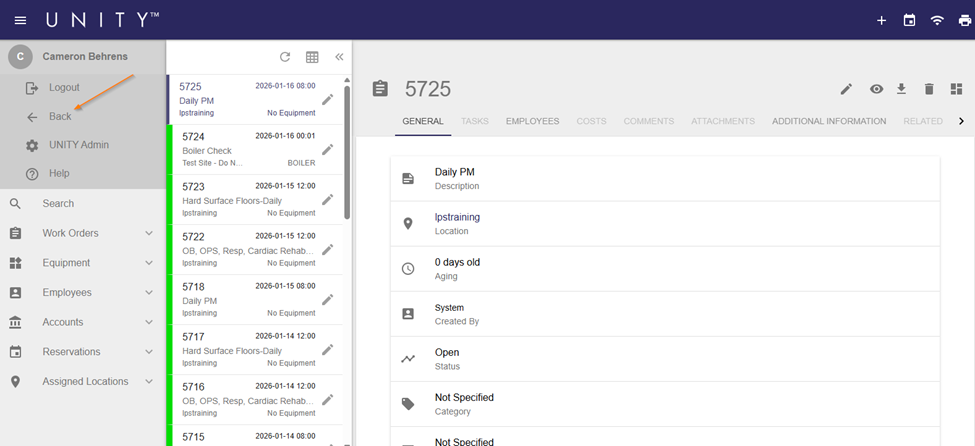
Specialties are added to Employee accounts via Account Administration. To navigate to Account Administration, click and hold on the Back button in the UNITY main menu.
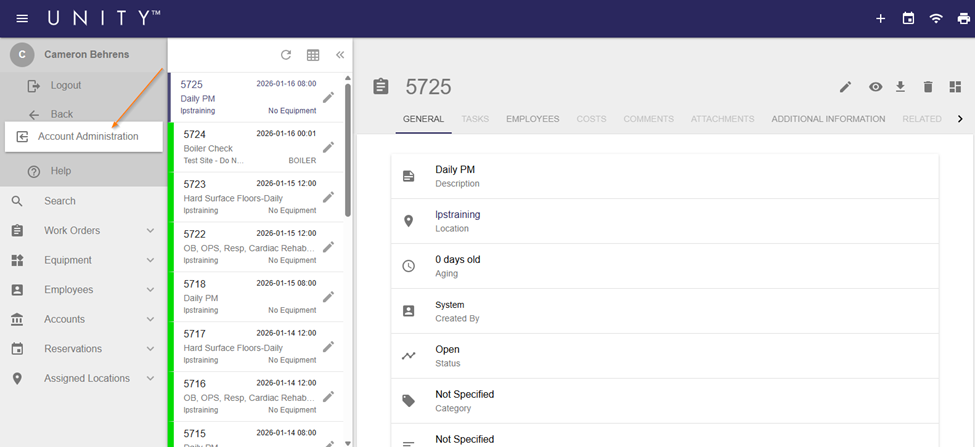
- Click the Account Administration button.
- Note: If you have loaded multiple pages during your current UNITY session, you will need to scroll through a list of those pages before seeing this button.
-
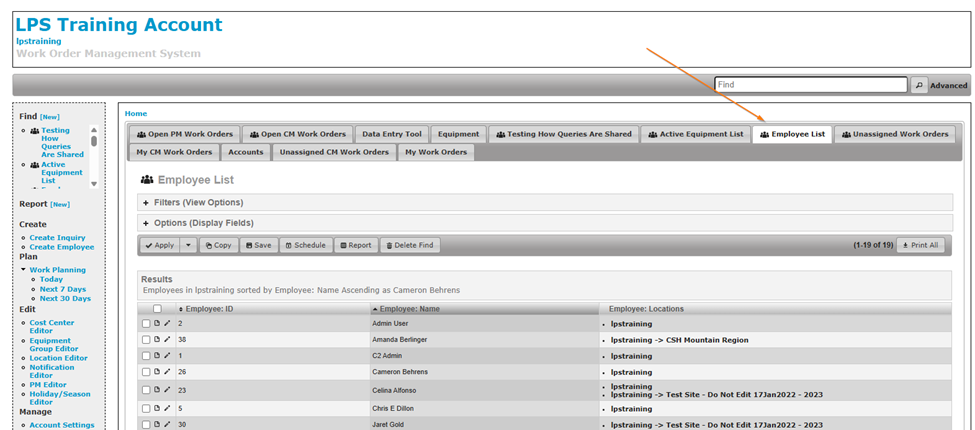
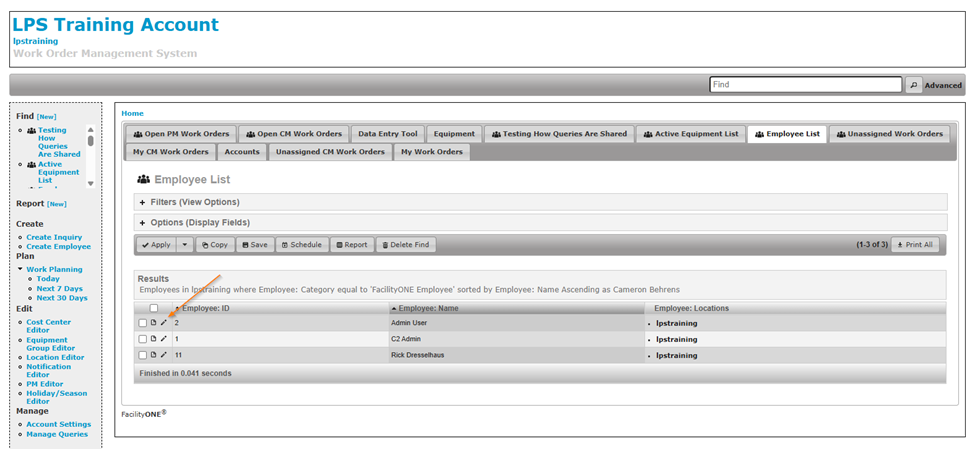
Locate your Employee List tab and click on it to open it.
- Note: If you do not have an Employee List, please contact our Support team at support@facilityone.com
-
Click the Edit pencil next to the name of the Employee you want to add Specialties to.
-
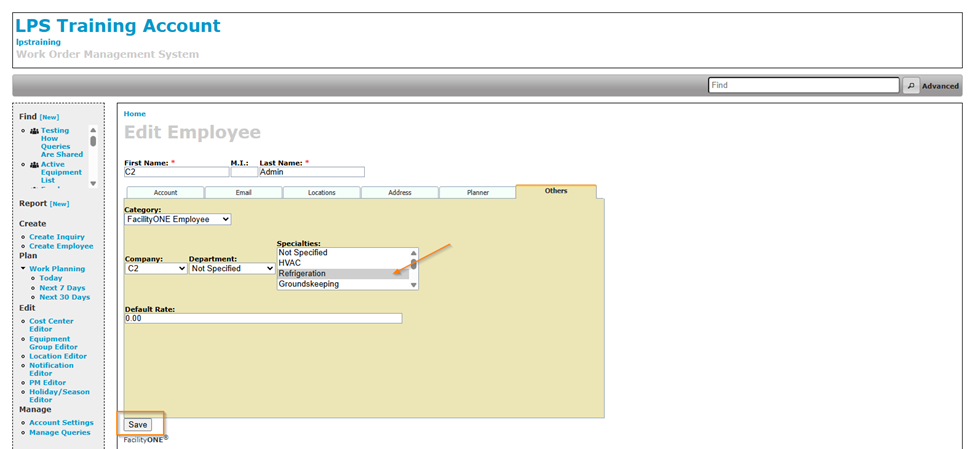
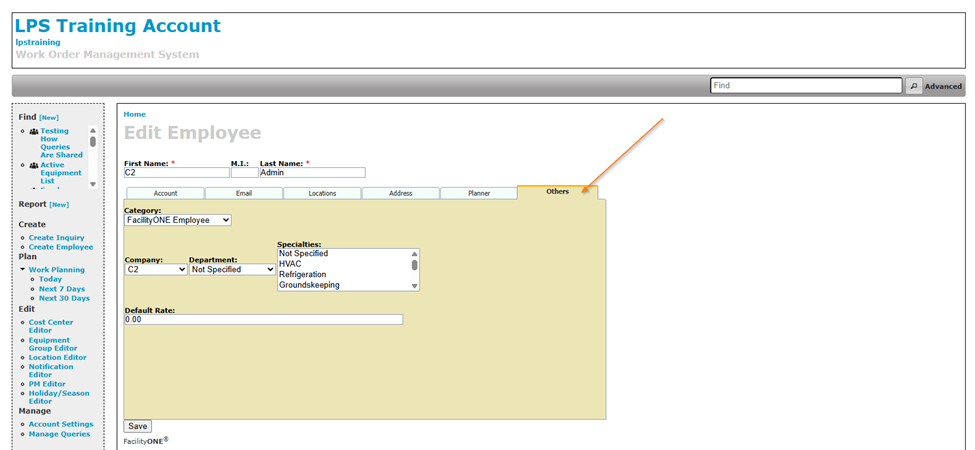
On the Edit Employee Page, select the Others tab.
-
Click on the desired Specialty and then click Save.
-
Note: Hold down the control button to select multiple specialties.
-